*****

More Than 23 Million Newspaper Pages Are Free to Download...

Here's How to Turn Them Into Products

Every Old Newspaper...

...Is a Shop Waiting to Open!

Picture a Sunday newspaper from Christmas week, 1915.

The front page announces the President's wedding. The classifieds are selling canaries and Angora kittens. Department stores fill whole pages with fur coats, fountain pens and electric toy trains. There's a Sunday Magazine with an ornate masthead, a society section packed with fashion illustrations, and help-wanted ads looking for "press feeders" and "boys."

All 85 pages are free to download today... and the copyright ran out decades ago.

Most people see an old newspaper. We see thirty products.

Tony started his career as a newspaper photographer, so we've always known what hides inside a daily paper... the ads, the ornaments, the odd little stories nobody remembers. Yet newspapers remain one of the most overlooked sources in the entire public domain.

Why? Because most creators get stuck on the same four questions:

  • Where do I find old newspapers worth using?
  • How do I know what's actually safe to sell?
  • How do I turn a gray, speckled scan into something people will pay for?
  • And what do I make besides one more framed front page?

Yesterday's News answers all four.

Introducing Yesterday's News

Yesterday's News: 30 Products From Public Domain Newspapers is a step-by-step guide that takes you from a century-old newspaper page to finished products you can list... in 10 clear steps.

One real newspaper, start to finish. Every step uses the same Sunday issue from December 1915, so you watch real pages turn into real products. By the end, you'll know how to do the same thing with any paper, from any town, from any year in the safe range.

Three product families buyers already shop for. Wall art and prints, printables and kits, and image and asset packs... ten of each, every one with its own playbook.

Works with the tools you already have. Any image editor, any chat AI, any image AI. Nothing in the guide depends on a specific app.
What's Inside Yesterday's News

Part One: Clear the Rights

  • The simple date test that tells you in about a minute whether a newspaper is safe to use
  • How to use papers from the 1930s, '40s and '50s... the window most sellers never touch
  • The hidden traps on a 100-year-old page that can still get a listing pulled, long after the copyright is gone

Part Two: The Hunt

  • Where to dig, from a free archive of more than 23 million pages to the state collections most people never find
  • How to search like a 1915 editor, so you find what keyword search misses
  • The quick record-keeping habit that protects you if a marketplace ever questions a listing

Part Three: The Workshop

  • How to turn gray, speckled microfilm scans into clean, print-ready masters
  • The five layers of authorship that make a product yours... and much harder to copy

Part Four: 30 Product Playbooks

Ten wall art and print products, ten printables and kits, and ten image and asset packs. Here's a taste:

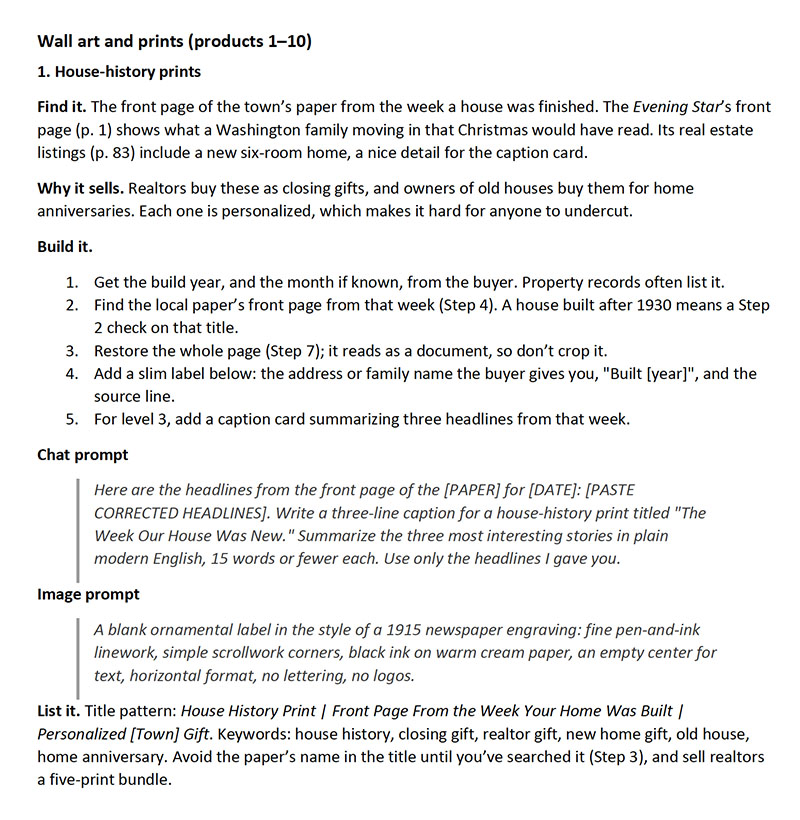
  • House-history prints that realtors buy as closing gifts
  • Forecast prints showing the weather from a couple's wedding morning
  • Reminiscence card packs for activity directors in senior living
  • A real-or-fake headline party game
  • A find-your-ancestors genealogy workbook
  • Texture, ornament and clip-art packs designers buy by the folder

Every playbook shows you where to find the raw material, why it sells, how to build it step by step, a ready-to-use chat prompt and image prompt, and how to title and tag the listing.

Part Five: Package and List

  • What to deliver for each product type, and a price ladder that makes the bigger purchase the obvious choice
  • A plain-English license you can adapt for asset packs
  • A launch calendar that tells you when to list what
  • The "one issue, 30 products" map that puts the whole guide on a single page

Five appendices you'll use again and again

  • Archive Directory: the best free newspaper archives and research tools, with links
  • Rights Checklist: run every item through it before it goes into a product
  • Provenance Log: a ready-made template for tracking every download
  • Decade Search Codex: the words newspapers actually used from the 1880s to the 1960s, plus the misreads that hide what you're looking for
  • Prompt Library: all 64 prompts from the guide in one place, ready to copy

Your Bonus: The Strange Headlines Vault

Fifty true stories from old newspapers... each one ready to become a print.

Strange-but-true headlines make some of the easiest prints to sell. A real headline, a story nobody expects, and a gift that starts a conversation. The hard part is finding them... so we did the digging for you.

Yesterday's News teaches you to find stories like these yourself. The Vault hands you fifty of them, already researched, so you can start making prints today.

Five drawers, ten stories each

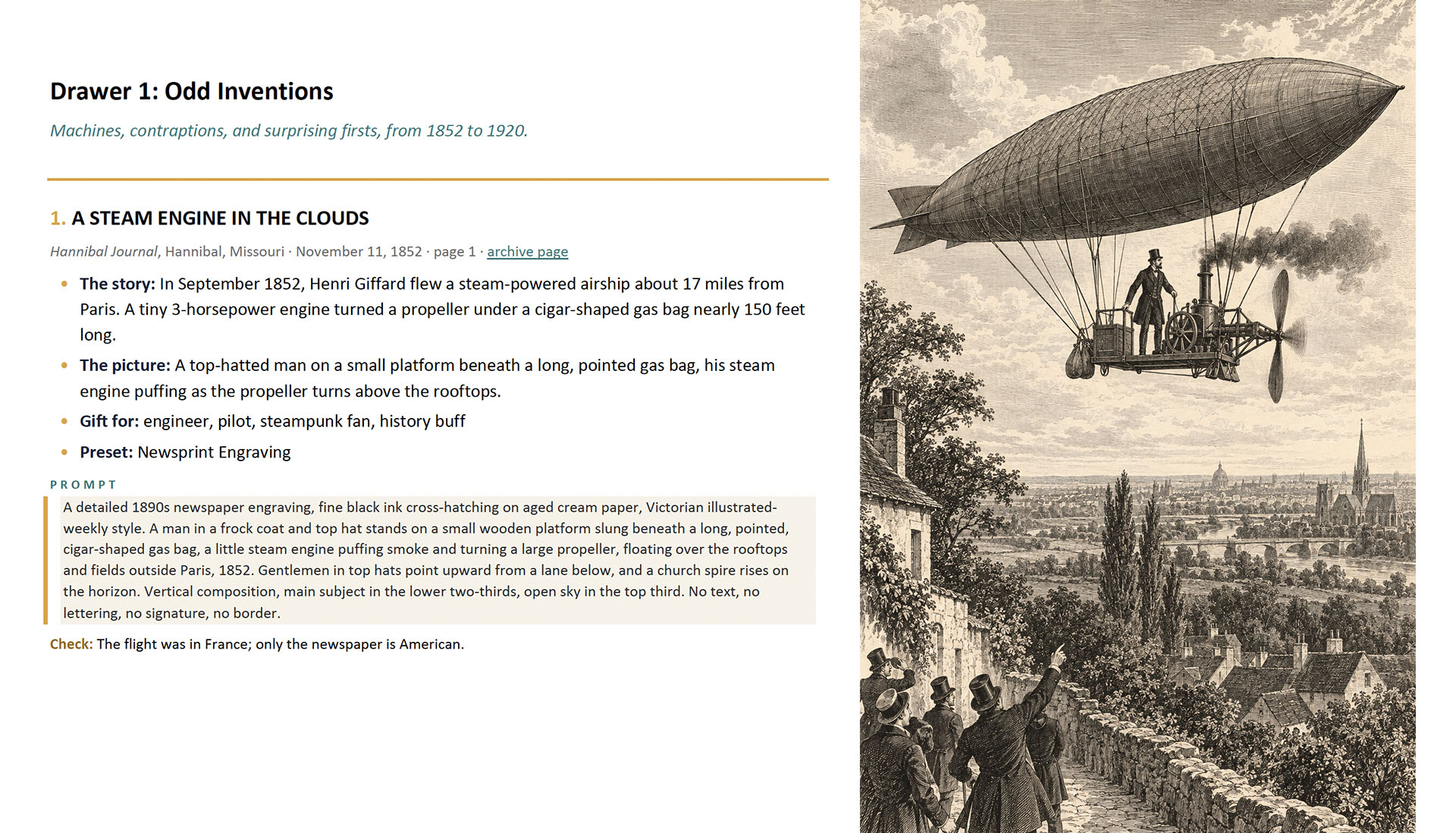
  • Odd Inventions: machines, contraptions and surprising firsts
  • Animal Mischief: clever, heroic and thoroughly unlikely animals
  • Hoaxes: fakes, tall tales and panics the papers printed with a straight face
  • Near-Misses: daredevils who lived to tell it
  • Eccentric Characters: colorful, stubborn, gloriously unusual people

Every entry gives you

  • The original headline, the newspaper and the date
  • A link to the archive page, so you can see the original yourself
  • The story in two lines
  • The one scene to illustrate
  • Who the print makes a great gift for
  • A style preset and a ready-to-paste image prompt
  • A quick check to run before you sell

Plus

  • A finished sample illustration for every entry... 50 in all
  • Three illustration styles: Newsprint Engraving, Chromolithograph and Storybook Watercolor
  • A worked example that takes one entry all the way to a finished listing, with the title, tags, angle and best time of year to sell

A peek inside the drawers

  • "Cat Saves Lives of Nine Sailors"
  • "Mars Peopled by One Vast Thinking Vegetable!"
  • "Hist! Jobberwock Here, Spits Fire!"
  • "Over Niagara in a Ball"
  • "Ed Is a Highbrow Tabby"

...and 45 more.


BONUS #2: Funny Pages to Film

Watch a forgotten newspaper comic strip come to life in 90 seconds

Yesterday’s News shows you 30 ways to turn old newspapers into products. This bonus shows you a 31st... one that moves.

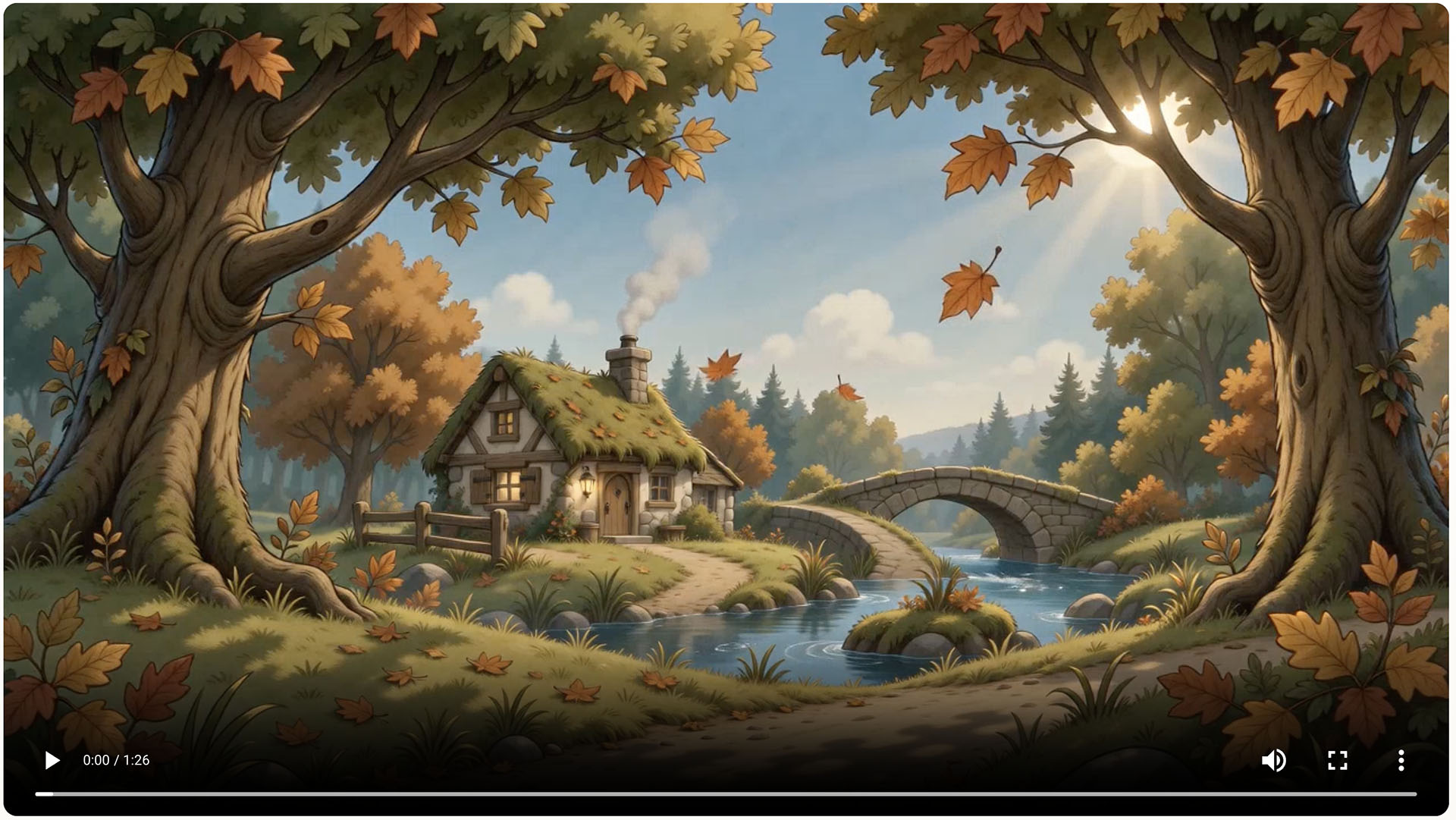
Old papers are full of comic strips most people haven’t seen in generations. In this 90-second video, you’ll watch one black-and-white strip become a full-color animated short, keeping the original characters, story, and dialogue.

It happens in four stages:

  • Meet the cast. The strip’s two characters become a turnaround sheet showing front, three-quarter, side, and back views, so they stay consistent from shot to shot.
  • Give them a makeover. The ink-and-newsprint originals get rich storybook textures, a palette of muted teal, moss green, and rust orange... and friendlier smiles.
  • Redraw the strip. All nine panels are recreated in the new style, beat for beat.
  • Roll camera. Each panel becomes its own 10-second shot. That’s nine shots, 90 seconds, and one finished short.

Once you’ve seen it, every strip in the archive starts to look like a cartoon waiting to happen.

Get Access to the Yesterday's News Bundle!

Yesterday's News PDF • The Strange Headlines Vault • Funny Pages to Film Video training

FAQ

  • Do I need special software or a paid archive subscription?

    No. You need any image editor, any chat AI and any image AI. Every newspaper in the guide comes from free public archives.

  • Is it really legal to sell products made from old newspapers?

    A huge number of old US newspapers are in the public domain, and the guide shows you exactly which ones. It also covers the trademark, privacy and archive issues that can still matter on a very old page, with a checklist to run before anything goes into a product. The guide explains how US copyright generally applies; for a high-stakes product, talk to an intellectual property attorney.

  • I'm new to public domain. Is this for me?

    Yes. One real newspaper runs through every step, so you see each move made on an actual page before you make it yourself.

  • Do I need to be an artist?

    No. Many products use the original newspaper art, restored. The prompts create the companion pieces, and the Vault includes a finished sample illustration for every story.

  • What kinds of products does the guide cover?

    Three families: wall art and prints, printables and kits, and image and asset packs. Ten playbooks in each.

  • How is the Vault different from the guide?

    The guide teaches you the whole system for finding and using newspapers. The Vault gives you fifty strange-but-true stories already found, researched and paired with prompts, so you can start making prints right away.

  • What format are they in?

    Both Guides are PDFs you can read on any device or print. The Video is embedded right on the page.

About

Meet Your Expert Instructor

Hi there! Tony Laidig here... I’m known as The Public Domain Expert, but what I really do is help creators like you unlock limitless potential through AI and public domain content... without the overwhelm.

I’ve been experimenting with AI writing and art tools since before they were cool (back in 2018), and over the last 18+ years, I’ve designed more than 600 book covers, including several that landed on the New York Times Best-Seller list.

My goal? To make creativity more accessible, more profitable, and way more fun!

If you’ve ever felt stuck trying to figure out how to create books, products, or art that actually stand out, I’ve probably built a course or strategy to help. I’ve taught over 2,000 course modules covering everything from publishing and book design to AI-generated art, children’s books, video content, and beyond.

And while I love teaching and creating, I live what I teach... traveling the country in an RV with my wife Kristen and our two cats, making art, writing, and capturing inspiration with my camera wherever we roam.

If you're ready to explore powerful tools, timeless content, and scalable creative strategies, you're in the right place!